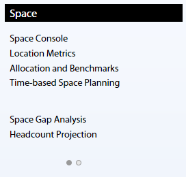
A process bucket holds a list of labels and tasks -- typically view files (.axvws) that represent reports and forms. A process bucket is analogous to a Process Navigator "Process or Role".
Note: In ARCHIBUS Help, "buckets" are referred to as "panels."
You can use any ARCHIBUS Process (afm_processes) entry that has one of these Process Types:
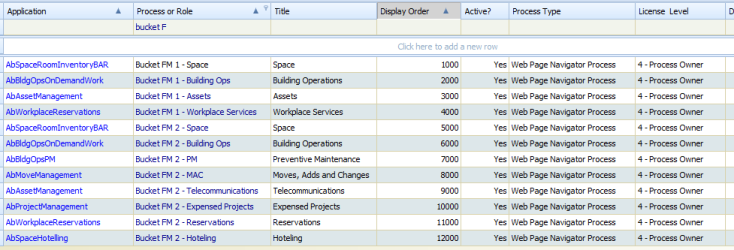
A typical bucket descriptor for a process bucket is:
<bucket
title="Space Executive Reports"
tooltip="Executive reports for Department Manager."
type="process"
backgroundShading="bucket-background-medium"
activity_id="AbSpaceRoomInventoryBAR"
process_id="Department Manager"
/>
title. The value that appears in the bucket title.tooltip. The tooltip that appears when the user hovers the mouse over the title. type. A value of "process" indicates that this bucket is a process bucket. activity_id. The activity within the ARCHIBUS Process Tasks (afm_ptasks) table to which the tasks all belong.process_id. The process within the ARCHIBUS Process Tasks table to which the tasks all belong.backgroundShading. The background color for the bucket. Possible values are bucket-background-medium, bucket-background-medium, bucket-background-dark. The different color schemes of ARCHIBUS replace these values with appropriate shades.

Ideally, you will design the list of process tasks for each bucket such that it fit into that bucket. If not, the bucket presents a series of dots as a page selector at the bottom, and you can page down the list of tasks or jump directly to a particular page.
When paginating tasks, the process bucket displays labels in bold, groups tasks by label, and does not orphan tasks from any label it is associated with; that is, the control displays tasks on the same page as the label above them, even if that means leaving whitespace at the bottom of some pages. There is one exception, however. If any particular group is too tall to fit into the process bucket at its current row height, the control does not group tasks, but breaks them at the last task that will fit on the page.
| Copyright © 1984-2014, ARCHIBUS, Inc. All rights reserved. |